

Milk Labels
Milk labels come in all shapes, sizes and flavors these days. With all the new types of containers, it is sometimes hard to find the right adhesive to keep your label on your product. We have some great ideas that can help you improve the appearance of your milk brand. Weber can help you pick the right adhesives and facestock to stand up to the refrigerated environment and still look refreshing.
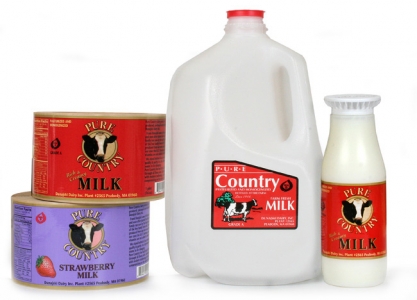
Dairy labels that stick to cold plastic.
Milk Label Design Tips
Materials:
- Since most milk containers are white (or at least white when filled), your label should have a solid color unique to your brand that stands out from the competition.
- Be sure to use label materials that will stand up to the environment if they are exposed to damp or refrigerated conditions for a length of time.
Artwork:
- Use unique designs and colors to convey a family of products. This makes it easier for the consumer to return to your brand by sight. Nothing says milk better than a cow on the label!
- Keep your design simple but eye-catching. Metallic foils and gloss varnished can attract a customers attention easily and protect your label.
- Add a QR code so your customers can interact with your company via free offers, recipes and more.
From small boutique dairies to large automated production labellers.
Adobe Reader is required to open and view PDF files. This can be downloaded free from adobe.com.
Available Documents
- Label and Wristband Printing
- High Speed Printing
- Printing Resolution of 203 / 305 / 609 dpi
- Anti-microbial Casing
- Small, Compact, High
- Throughput Design
- Easy Media Loading and Maintenance
- Wireless Connectivity
- RFID Ready
- High-performance printing
- 203 x 305 dpi
- Print width 4 and 6 inches
- Multi-language display
- Flexible connectivity
- Large memory
- Windows® – Compatible
- RFID Ready!
Zebra DS3508 Series
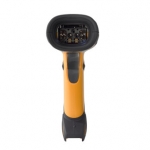
The Zebra DS3508 Series of rugged, corded digital scanners bring comprehensive, high performance data capture to harsh industrial
environments to improve business efficiency. Engineered with breakthrough digital imaging technology, this scanner family delivers
extremely fast and accurate data capture of one-dimensional (1D) and two-dimensional (2D) bar codes, images and direct part marks (DPM)
as well as Item Unique Identification (IUID)* support. Available in three models, the DS3508 Series of scanners can meet a wide variety of
data capture needs in multiple industries.
Sato CT4i Compact and Versatile Printer
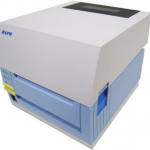
FEATURES
Epson SecurColour TM-C3400 Inkjet Colour Label Printer
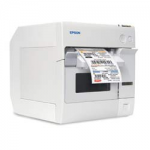
The SecurColour prints colour-enhanced labels and tags on demand to improve inventory organization, lowering the cost of inventory management and improving customer service.
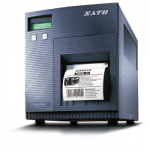
View ProductSato CL4e / CL6e Printer
FEATURES







