

Legi-Air 4050 M Label printer and dispenser
Weber Packaging Solutions presents the Legi-Air 4050 M – a printing dispenser with a novel control concept. The “M” correspondingly stands for master controller: “The central hub for data and process control”.
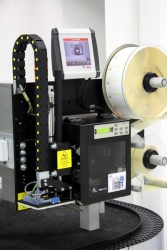
Master controller controls printing and dispensing
In one movement, the Legi-Air 4050 M automatically prints current data and dispenses labels. The compact system design simplifies mechanical integration into existing equipment. There are numerous standard applicators for applying the labels to products, packaging or trays, for example.
RFID labelling is already prepared in the system. In addition, several modes of operation are available for high-speed labelling, such as contactless application, e.g. “Blow-on” and “Tamp-blow”. Any labelling and installation positions are possible, making it easier to realise numerous individual solutions using this standard device.
Adobe Reader is required to open and view PDF files. This can be downloaded free from adobe.com.
Available Documents
Legi-Air 4050M leafletNursery Labels

Weather Resistant labels need to be able to handle exposure to all types of weather conditions plus direct sunlight and constant watering. Our polytag material can stand up to the job plus you can print variable information on-site with our thermal label printers equipped with durable thermal ribbons. Our garden labels come in lots of shapes and sizes, and can be used for custom printing. We can customize your labels with pre-printed logos and graphics.
View ProductARMOR – Thermal Transfer Ribbon APR6
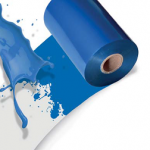
APR®6 is the standard wax/resin ribbon of the ARMOR range: very versatile, it has been conceived to print all kinds of self-adhesive labels at the lowest heat settings. It also provides a higher level of mechanical resistance compared to the wax ribbons.
View ProductZebra Symbol LS7808 Scanner
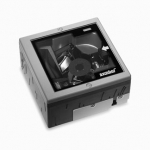
The advanced Symbol LS7808 horizontal slot scanner from Zebra delivers exceptionally high first-pass read rates for faster checkout times
— and better customer service. The Symbol LS7808 represents the latest development in our three decade leadership in designing bar code scanners and our pioneering work in horizontal slot scanner technologies. The omni-directional scan pattern reads the bar code regardless of orientation, eliminating the need to precisely align products to the scanner. Advanced software algorithms reconstruct poorly printed and damaged codes, further increasing performance and speeding customers through the point of sale.
Primary labels / pre-printed labels
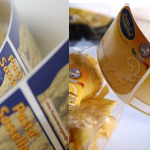
Brands and high-quality products need suitable labels to represent the image and reflect the branding. Weber Marking Systems is geared for the production of high-quality primary and pre-printed labels for any application.
View Product






