

Zebra KR203 Kiosk Receipt Printer
An affordable, host-based kiosk printer for 3-inch-wide receipts, Zebra’s compact KR203™ printer delivers unparalleled value and reliability for a variety of self-service applications. The KR203 draws upon the kiosk PC’s processing power and memory resources instead of its own, making it a highly cost-effective choice for customers who need a high-quality kiosk printer at the lowest total cost of ownership.
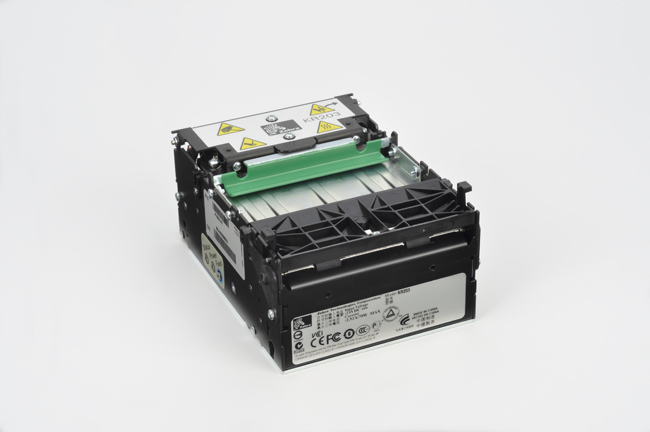
The KR203 offers the best value in its class, providing high print quality and many features available only on more expensive printers. Designed to reduce the need for maintenance or service by associates, it includes built-in troubleshooting capabilities; Zebra’s patented looping presenter and an integrated cutter for preventing paper jams; a tear-preventing pull detector; and a large, long-lasting, 10-inch/250 mm media roll capacity.
This host-based printer is easy to integrate into your kiosk systems—it can print any font, barcode or graphics supported by your application. The printer’s small size and wide range of mounting configurations make it an easy fit for any kiosk design and perfect for Zebra’s Kiosk Print Station.
Flexible
The small footprint and flexible mounting options make the KR203 printer ideal for a variety of embedded-kiosk applications where space is at a premium – whether incorporated in a custom kiosk solution or in Zebra’s Kiosk Print Station.
Unmatched usability
As an integral part of a self-service kiosk solution, Zebra printers help companies improve service, raise customer satisfaction, increase revenue and lower operational costs. Ultimately, improved print quality (along with features such as integrated cutter, patented looping presenter for preventing paper jams and the tear-preventing pull detector) ensure a better customer experience for the kiosk user.
Reduced intervention
The KR203 printer has been optimised for tough printing environments where durability, reliability, minimal maintenance and ease of use are critical. Designed to reduce the need for maintenance or intervention by staff, the KR200 series printers include built-in troubleshooting capabilities such as printer-status management, optional paper-low sensor and the ability to use 250mm media rolls to reduce paper roll changes.
Adobe Reader is required to open and view PDF files. This can be downloaded free from adobe.com.
Available Documents
Zebra LS2208 Handheld Scanner
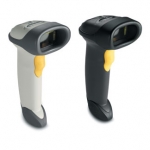
The Symbol LS2208 handheld scanner from Zebra offers high performance scanning at a moderate price point. From the retail point-of-sale and backroom to the patient bedside or school book checkout, the Symbol LS2208 provides fast, reliable scanning in a durable, lightweight form factor, delivering enhanced productivity and efficiency while reducing your total cost of ownership (TCO). With aggressive scanning capabilities and a wide working range, the Symbol LS2208 accurately captures data fast, helping employees work quickly and efficiently. And you’ll be up and running fast, because the Symbol LS2208 is easy to deploy and use, thanks to its plug-and-play installation and intuitive, user-friendly design, which requires little or no training. Plus the ergonomic, balanced form factor reduces user fatigue to maximize user comfort.
View ProductI-Class Mark II
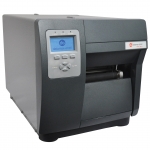
We made the best better.
Datamax-O’Neil’s I-Class revolutionized the barcode printer industry with its award winning modular design, field installable options and rugged reliability.
View ProductAlpha TIJ – Label dispenser Alpha with multifunctional inkjet-printer
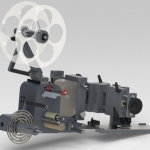
The Alpha TIJ comprises a label dispenser of the proven and renowned Alpha series and a thermal inkjet printer.
View Product
ZT230 Industrial Printer
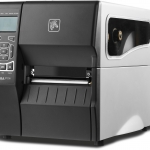
The ZT230 features the durability of a metal frame and cover with an icon based LCD graphical user interface and larger ribbon capacity for long lasting use in demanding environments.
View Product






