

Zebra LS2208 Handheld Scanner
The Symbol LS2208 handheld scanner from Zebra offers high performance scanning at a moderate price point. From the retail point-of-sale and backroom to the patient bedside or school book checkout, the Symbol LS2208 provides fast, reliable scanning in a durable, lightweight form factor, delivering enhanced productivity and efficiency while reducing your total cost of ownership (TCO). With aggressive scanning capabilities and a wide working range, the Symbol LS2208 accurately captures data fast, helping employees work quickly and efficiently. And you’ll be up and running fast, because the Symbol LS2208 is easy to deploy and use, thanks to its plug-and-play installation and intuitive, user-friendly design, which requires little or no training. Plus the ergonomic, balanced form factor reduces user fatigue to maximize user comfort.
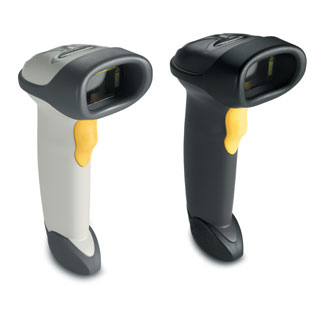
The Symbol LS2208 is engineered for continuous, heavy usage all day, every day and has been tested to withstand multiple 5 ft./1.5m drops to concrete. The patented single board construction eliminates a common point of failure – the interconnection between multiple boards, and the liquid polymer scan element delivers integral shock protection to further ensure reliable operation.
Scratch-resistant tempered glass helps preserve bar code scanning accuracy. Integrated multiple interfaces, universal cable compatibility and support for emerging symbologies provide the investment protection you need to help ensure that the scanner you buy today will work with the system you use tomorrow.
When you choose the Symbol LS2208, you receive the added assurance of purchasing a product from Zebra— the global leader in handheld bar code scanning with millions of scanners in use every day by the world’s largest retailers worldwide. And since even the most durable scanners require a support plan, Zebra’s Service from the Start Advance Exchange Support provides next-business-day delivery of a replacement device for true service peace of mind. This offering also includes Zebra’s unique Comprehensive Coverage, which extends normal wear and tear to cover accidental damage to exit windows, scan elements, housings and more at no extra charge — virtually eliminating
your unforeseen repair expenses.
Adobe Reader is required to open and view PDF files. This can be downloaded free from adobe.com.
Available Documents
ls2208_spec_sheet_Zebra Symbol LS7808 Scanner
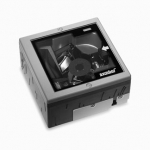
The advanced Symbol LS7808 horizontal slot scanner from Zebra delivers exceptionally high first-pass read rates for faster checkout times
— and better customer service. The Symbol LS7808 represents the latest development in our three decade leadership in designing bar code scanners and our pioneering work in horizontal slot scanner technologies. The omni-directional scan pattern reads the bar code regardless of orientation, eliminating the need to precisely align products to the scanner. Advanced software algorithms reconstruct poorly printed and damaged codes, further increasing performance and speeding customers through the point of sale.
OMNII XT15 Mobile Computer
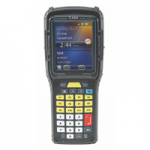
Building on the unique adaptability of the proven Zebra Omnii™ platform, the all-new Omnii XT15 Series raises the bar even higher to deliver the highest levels of ruggedness and functionality. With the open source business model — giving you the flexibility and freedom to adapt your device with exactly what you need — and certified IP67 and IP65 rating, the Omnii XT15 Series delivers reliable performance and unparalleled adaptability for the most demanding of environments and applications.
View ProductWater Bottle Labels
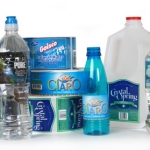
Make sure that you get the right label for your bottled water products. Water-proof film labels work best or, if recycling is important, you can go with a label material that is bio-degradable or easily removable for recycling.
View ProductE-Class Mark III Barcode Printer
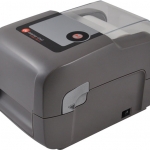
The E-Class Mark III is a family of compact desktop thermal printers that are designed for a wide variety of industries and applications that require a reliable and cost effective barcode printer. Datamax-O’Neil applied its industrial printer expertise to provide customers with an entry level printer that has the features and reliability normally found in more expensive printers. The E-Class Mark III is affordable to own, easy to use and economical to operate.
View Product






