

Produce Labels
Produce labels come in all shapes and sizes. And some need special required information fields, QR codes, bar codes, traceability information and more.Let Weber help you get the most from your label by using the right materials that will match your requirements plus give you a label that will attract more buyers to your fresh produce.
Take a look at some of the labels we have made and see what we can do. Contact us for more information or help meeting your label requirements.
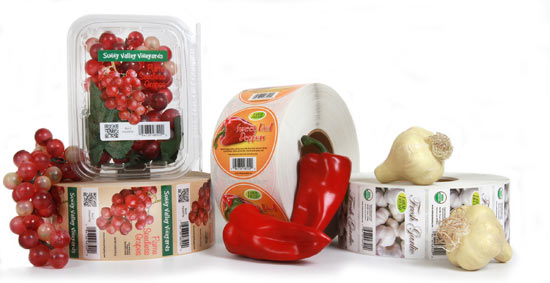
Make your vegetables even more appetizing with a great looking label.
Produce Labels
Materials:
- Food packaging has to look good and reflect the freshness of your product.
- Use clear label material to allow the customer to see inside your package to witness the freshness of the item.
- Be sure to use label materials that will stand up to the environment if they are exposed to water or harsh conditions.
Artwork:
- Colorful labels attract a customer’s eye when shopping in the fresh market section of a grocery store.
- Use colors that enhance your products. Use appetizing photos of the natural food or a shot of the product in it’s prepared state.
- Add a QR Code or SnapTag on the label to interact with your customers.
Adobe Reader is required to open and view PDF files. This can be downloaded free from adobe.com.
Available Documents
Craft Beer Labels
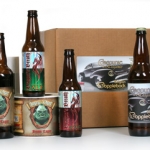
Your label says everything about your craft beer. So make sure your label looks good – no flagging, crooked application or moisture damage. People judge your product by its appearance and make their purchase decision accordingly. Craft beer labels need to look unique, setting you apart from the competition. You take pride in your brewing, giving extra care to all the steps that make your product the best. Your label needs to be a reflection of all that hard work and pride.
View ProductLabel Coatings
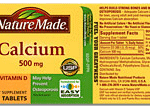
Our special manufacturing capabilities and broad selection of matte and gloss varnish coatings and laminates help improve the appearance and long-lasting performance of your labels.
View Product
Water Bottle Labels
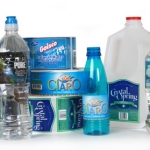
Make sure that you get the right label for your bottled water products. Water-proof film labels work best or, if recycling is important, you can go with a label material that is bio-degradable or easily removable for recycling.
View ProductNursery Labels
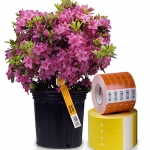
Weather Resistant labels need to be able to handle exposure to all types of weather conditions plus direct sunlight and constant watering. Our polytag material can stand up to the job plus you can print variable information on-site with our thermal label printers equipped with durable thermal ribbons. Our garden labels come in lots of shapes and sizes, and can be used for custom printing. We can customize your labels with pre-printed logos and graphics.
View Product






