

BCP Apps – Data Collect Plus
Summary
BCP Apps – Data Collect Plus is designed for those customers who need a straight forward data collection application with a choice of multiple programs. You can choose to have either ONE, TWO or THREE programs in the Application each with their own unique data fields. Each data field can be named and its length defined prior to installation. One of the fields in each program can be nominated as an Additions field that will total up all entries made in that field and display it on each screen. Each data field allows either scanned or keyed data entry for ease of use. There is an added facility for the operator to view the data collected and delete entries if desired, prior to downloading to the host. All entries in the Data Files are time and date stamped and can easily be downloaded into the customers Database or Excel spreadsheet by using WLAN or just a USB connection. What could be more straight forward?

Description
BCP Apps – Data Collect Plus provides another unique yet uncomplicated multi program solution to Data collection. Each application can be configured for the job in hand prior to installation.
Languages
- English

Adobe Reader is required to open and view PDF files. This can be downloaded free from adobe.com.
Available Documents
Weber LA4050B-EL – All Electric Linear Print Apply System
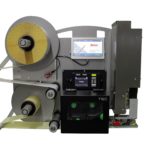
Weber’s LA4050B Series Electric Labelling Print and Apply automated labeling systems feature industry-leading smart technology that use sensors to reduce label application complications, ensuring a one-to-one label-product match. As the leading all-electric Label Printer/Applicator manufacturer on the market, our pressure sensitive labeling systems enable customers to completely replace conventional pneumatic systems with semi-electric and or a fully electric option that controls the label with pinpoint accuracy in side, top, bottom and corner-wrap applications throughout the packaging process.
View ProductNautiz X1
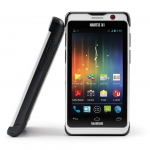
The Nautiz X1® is the perfect blending of an ultra-rugged handheld and an enterprise smartphone. It breaks through barriers of size, toughness and reliability to offer field professionals and outdoor enthusiasts the proven ruggedness of a Nautiz ultra-rugged handheld that runs the Android 4.0 (Ice Cream Sandwich) or Windows Embedded Handheld 6.5 operating system.
View ProductDNP R300 General Purpose Resin Ribbon
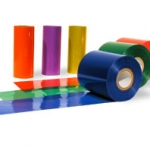
DNP has the most elite resin ribbon offering in the industry. R300’s extensive label adaptability and high print speed capability makes it the most diverse resin of its kind. It outperforms the competition in abrasion and solvent resistance, uses less print energy and is designed with DNP’s standard anti-static and backcoat properties to protect printheads and extend printhead life. And, like all DNP ribbons, R300 is an industry leader in Edge Definition™ producing dark, dense images for improved scan rates.
View ProductIT1000 Universal Weighing Terminal
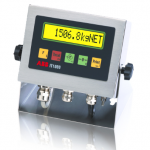
Suitable for difficult environmental conditions and locations with high hygienic standards, as in the food, pharmaceutical and chemical industry. With mounting brackets for desktop or wall-mount installation.Integrated power supply unit, sealed cable glands for all cable connections.
View Product






