

DS2400N Compact Laser Scanner
The New DS2400N laser reader takes advantage of Datalogic’s success in 1D bar code reading, satisfying the demanding application needs of the largest manufacturers worldwide. DS2400N provides greater profitability and productivity in the most common warehousing, shop floor and OEM applications.

The DS2400N grants high reliability when reading difficult bar codes thanks to its self-optimizing reading performance in any condition and using ACB™ reconstruction technology. DS2400N offers an extremely wide depth of field and large reading area in a very compact and robust housing with IP65 protection.
ID-NET The DS2400N is equipped with a built-in ID-NET™ interface, used for high-speed scanner interconnection. ID-NET™ allows faster and more efficient data collection without the need for an external multiplexer device. This translates into overall cost reduction and easier system wiring.
X-PRESS™ is the intuitive Human Machine Interface designed to improve ease of installation and maintenance. Status and diagnostic information are clearly presented by means of a fi ve LED bar-graph, whereas the single multi-function key gives immediate access to relevant functions such as Test Mode (for barcode verification), AutoLearn (for barcode self-detection) and Auto-Setup (for scanner self-adjusting). This makes any user’s work easier.
The DS2400N scanner can be easily programmed through the intuitive and multi-language Genius™ SW tool. Thanks to the wizard approach and graphic add-ons, the scanner configuration is done rapidly.
Applications:
Automated warehousing
• Conveyor sorting
• Picking systems
Automated shopfloor
• Items and parts tracking
• Process control and Packaging
• Packaging and compliance
OEM
• Document Handling
• Print & Apply
• Automatic chemical and biomedical analysis machines
Adobe Reader is required to open and view PDF files. This can be downloaded free from adobe.com.
Available Documents
DS2400N datasheetZebra CS3000 Series Scanner
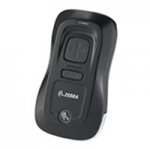
The innovative Zebra CS3000 Series enables enterprises to easily implement 1D laser scanning where either mobility or the cost and
size of a traditional scanning device is an inhibitor. Two models provide the flexibility for use in many applications. The CS3000 can be utilized in standalone mode for the batch scanning of bar codes, while the CS3070 offers batch mode as well as real-time bar code data transmission to a host application via a wireless Bluetooth® connection to smartphones, laptops and more. The result is a new level of affordability for 1D scanning — and the ability to streamline, error proof and simplify many business processes.
OEM Auto Parts Labels
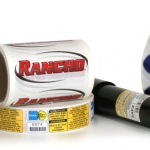
Product ID labels on your OEM auto parts have to last the life of the product. And more than likely, that will be a long, tough life cycle. Weber can help you pick the right materials to ensure that your labels continue to work through all kinds of weather and harsh conditions. OEM labels need to retain readability for technical and installation information as well as keeping the products brand image in front of the consumer.
View ProductMarkoprint Integra PP 108
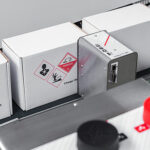
The Markoprint Integra PP108 is the first inkjet printer with SEIKO printing technology and a circulating ink system. It features a POZIFLOW circulating ink system which prevents the accumulation of air in the nozzles and ensures a permanent, clean print image without missing print due to blocked nozzles. The system’s ink tank can be installed above, below, or at the same height as the print head without any problems. The new SEIKO printhead has a print height of 108 mm and achieves a remarkable speed of up to 150 meters per minute with a high resolution of 360 dpi.
Suited to Dual Colour Printing Applications such as Hazard Labelling, Dual Colour overprinting and Direct Printing Applications to corrugate, and web printing applications, the PP108 is the latest high end, economical Inkjet System using the latest Drop on Demand Printing Technology.
View ProductZebra LI4278 Bar Code Scanner
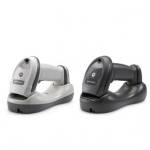
The LI4278 takes 1D bar code scanning to the next level, allowing workers to scan faster and farther. Workers can capture virtually any 1D bar code, including the typical bar codes that are printed on paper labels; electronic bar codes displayed on the screen of a mobile phone, tablet or computer that allows retailers to easily process loyalty cards, mobile coupons and more; and the high density (HD) bar codes commonly used in electronic component manufacturing. 100 percent UPC bar codes can be captured from near contact to over 30 in./76.2 cm away, while 200% UPC codes can be scanned at 55 in./139.7 cm away.
View Product






