

Hospitality
Trade Show In the entrance you use the mobile device to scan the barcode on the ticket and check against a database to see if the ticket is valid. Rent out mobile devices for the booths. The users can scan the badge of the people they talk to. They can add “to do” information to […]

 Trade Show
 Case story: Trade Show
Adobe Reader is required to open and view PDF files. This can be downloaded free from adobe.com.
Available Documents
software-brochureZebra DS457 SERIES Scanner
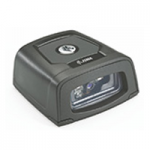
Enable high-volume hands-free scanning from the retail POS and airport boarding gate to the manufacturing production line with the Zebra DS457. With comprehensive data capture, your workers can scan virtually any bar code — including 1D, 2D and direct part marks. No matter what type of bar code is presented, or whether it is printed on a paper label, etched into a product or displayed on a mobile phone screen, breakthrough digital imaging technology delivers extraordinary scanning speed. The tiny footprint fits in the most space constrained areas. Workers can choose presentation or trigger-activated mode, providing the flexibility for a wide variety of applications. And while the DS457 can be integrated into a wide variety of products, its sleek design is just as at home
View ProductGeset labelling machine – Geset 300
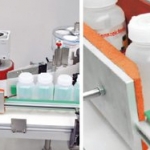
Geset 300 labelling machine for fast single side or all-round labelling
View ProductALGIZ XRW
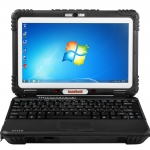
THE ONE AND ONLY
The Algiz XRW® represents a revolutionary step in mobile computing. This ultra-rugged notebook combines unprecedented performance in the field with a slim, lightweight and compact design which is unique to the market.
View ProductMarkoprint Shutter Printhead HP
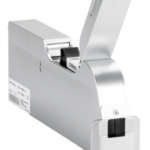
Inkjet nozzles can clog and dry up in a dusty printing environment, which is typical in wood-processing enterprises and other sectors. This results in poorly printed images. Our Markoprint Shutter Printhead HP prevents dust from entering the ink cartridge or gathering on the nozzles. During a production halt, the printhead automatically retracts the cartridge and shuts the open nozzle plate. After being paused for even several days, it is instantly ready to print again.
View Product






