

Symbol DS7708 Scanner
Easy to Deploy, High-Performance, “Can’t Miss” On-Counter Scanning
When it comes to on-counter scanning, the DS7708 scanner offers a feature set that puts it at the top of its class for performance, ease of use, easy deployment and total cost of ownership. With a large field of view that is over 50 percent larger than the competition, the DS7708 easily captures bar codes regardless of where they are located on an item. No matter what type of bar codes appear at the POS, the DS7708 can scan them all: 1D, 2D, printed and electronic.
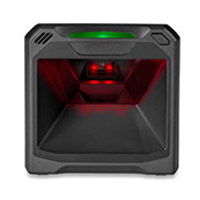
Innovative Features of the DS7708 Scanner
Scan virtually any type of bar code
First time, every time capture of 1D and 2D bar codes displayed on mobile devices or printed on paper labels—even if they are damaged, poorly printed, or dirty.
PRZM intelligent imaging
The DS7708 resets the bar for 2D imaging by improving decode performance and snappiness, while dramatically improving user experience, user productivity, throughput and customer wait times.
Largest field of view in its class
A field of view that is over 50 percent larger than competitive 2D imagers enables easy capture of bar codes, regardless of where they are located on an item. Scanning is truly second nature—no need to orient an item to capture the bar code.
Superior durability
Multiple features make the DS7708 the most durable device in its class: the recessed scan window prevents marks and scratches that can degrade scanning performance and lifecycle. In addition, the electronics are located in the top area of the DS7708 to prevent damage and protect uptime in the event of a spill.
Virtually invisible illumination
The LEDs are recessed behind the scan window, where they are barely visible and won’t disturb customers or cashiers.
Power through a single USB port
No additional power supply is required when connecting via USB, reducing accessory, installation and management costs.
Adobe Reader is required to open and view PDF files. This can be downloaded free from adobe.com.
Available Documents
DS7708_SSRFID Smart Labels
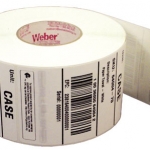
Weber is applying its expertise as a leading manufacturer and supplier of pressure-sensitive labels to provide the finest in RFID smart labels. Our innovative method of inserting the RFID inlays fits seamlessly within our label conversion process. And because we manufacture the RFID smart labels ourselves, we’re able to offer RFID media that will maximize performance and minimize costs.
View ProductCustom Wine Labels
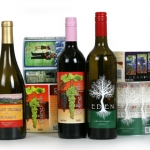
When you label a bottle of your wine, you are telling your story to the world. Since many wine shoppers make their decision about their purchase by the look of the label, you need to have a label that will get them excited about trying your vintage. Wine labels need to look unique, setting you apart from the crowd in the busy wine aisle. And the labels need to be durable, water-resistant and smudge-proof.
View ProductZebra CS4070
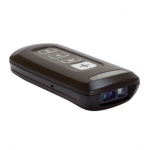
Zebra CS4070
MOBILE DEVICE COMPANION
The ideal companion for tablets and more, this affordable pocket-sized device offers our most advanced barcode scanning technology, able to capture virtually any barcode, in any condition, in the time it takes to press the trigger.
View ProductAxicon PV-1000 Portable Barcode Verification
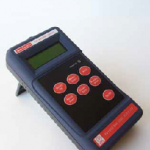
The PV-1000 Portable display and collection unit has been introduced in response to the requests of our customers, who appreciate the ease of use and high level of repeatable accuracy of the Axicon PC and Mac-based verifiers, but would like to add portability to their quality processes. For existing Axicon verifier customers who now
find that portability would be beneficial in their quality control there is no need to purchase a new verifier – just add a portable display and collection unit to work with the existing equipment – the Axicon PV-1000.







