

Zebra GK420 Healthcare TT/DT 203dpi Printer
Zebra GK420t Healthcare Desktop Printer
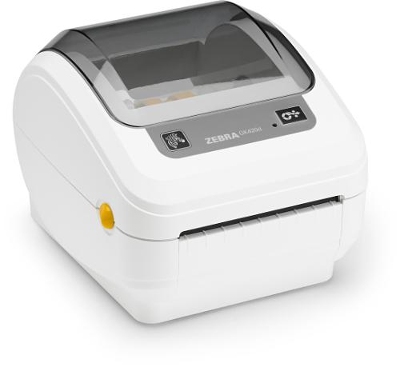
As a thermal transfer printer, the GK420t Healthcare printer produces labels that are extremely durable. Ideal for printing long-lasting laboratory and asset-tracking labels that may be subject to harsh cleaning products, sterilization or temperature extremes.
Standard Features –
Print speed: up to 5″ (127 mm) per second
Disinfectant-ready plastics
Medical-grade power supply
Print method: thermal transfer
Programming language: EPL and ZPL are standard
Construction: dual-wall frame
Tool-less printhead and platen replacement
OpenACCESS for easy media loading
Quick and easy ribbon loading
Auto-calibration of media
Triple connectivity: USB, Parallel, Serial
ENERGY STAR® qualified
Printer Specifications –
Resolution: 203 dpi/8 dots per mm
Memory: Standard – 4 MB Flash; 8 MB SDRAM
Print Width: 4.09/104 mm
Maximum Print Length: 39.0/990 mm
Maximum Print Speed: 5/127 mm per second
Media Sensors: Fixed reflective and transmissive sensors
Adobe Reader is required to open and view PDF files. This can be downloaded free from adobe.com.
Available Documents
gk420 healthcareDNP M265 Wax/Resin Thermal Transfer Ribbon
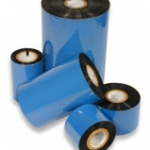
M265 offers unique combination of printability and resistance: it prints like wax/resin but provides resistance similar to resin performances. It is unbeatable for applications where high resistance is needed but resins are limited in terms of print sensitivity or high speed adaptability. M265 prints up to 12 IPS with standard anti-static and backcoat properties, and also prints on varnished or pre-printed labels.
View ProductGryphon 4100 – HC
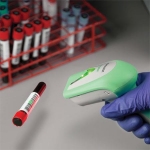
The Gryphon family are successfully associated with their premium line of Datalogic ADC’s general purpose handheld data collection products. The Gryphon is ideally partnered with the Healthcare industry but has the flexibility to work across other industries. The Gryphon is extremely versatile and durable. The Gryphon is the ultimate solution for applications where mobility is […]
View ProductPrint, Code & Apply Flag Tag
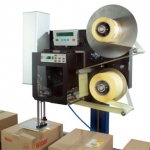
The label applicator LA 5200 RFID is a true all-rounder, providing an all-in-one solution. The “Print, Code & Apply Flag Tag” process involves the automatic writing, printing and application of tags.
View ProductDS3608-DP/DS3678-DP 1D/2D
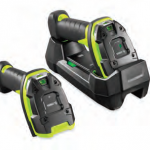
Unstoppable Performance for 1D/2D Direct Part Marks (DPM) and Bar Codes
As a member of the Zebra 3600 Ultra-Rugged Series of scanners, the practically indestructible 1D/2D DS3608-DP corded and DS3678-DP cordless scanner brings the dependable lightning-fast capture of virtually every direct part mark to aerospace, automotive and other manufacturing plants where end-to-end traceability of every product component is required.
View Product






